
7EA Engine Code: Meaning, Causes & What to Do
In This Guide
- What the 7EA Engine Code Means
- 7EA vs 7E8 vs 7E9
- Why 7EA Appears on Your Scanner
- Symptoms and Confusion It Causes
- Common Causes Behind the 7EA Reading
- How to Diagnose the 7EA Code
- How to Fix It: What to Do Next
- Can You Drive With 7EA Showing?
- 7EA on Popular Vehicles
- Related Codes
- Video Walkthrough
- FAQs
One-line meaning: 7EA is not a trouble code; it is a scan-tool menu header for control module 3 on the CAN bus.
What the 7EA Engine Code Means
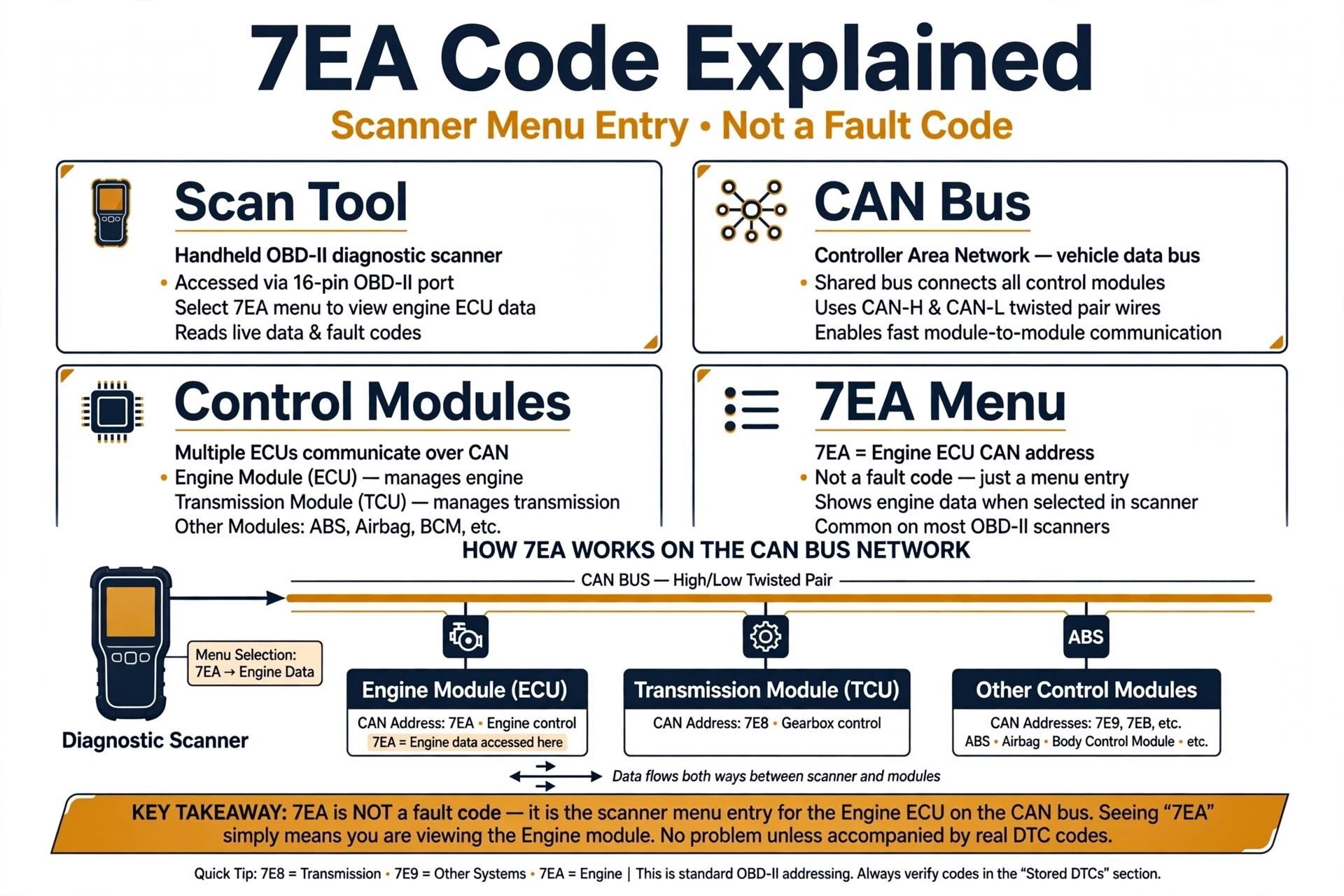
If you searched for the 7ea engine code because your scanner shows 7EA, here is the good news: 7EA is not a diagnostic trouble code at all. It is the address your scan tool uses to talk to control module number 3, a secondary computer on your vehicle’s CAN bus network.
Think of the 7Ex labels as name tags at a roll call. When your scanner asks which computers are present, every module that answers gets listed: $7E8 for the engine computer, $7E9 for the transmission computer, and $7EA for control module 3. Seeing 7EA means the scanner reached that third module and it answered. It is a menu you can open, not a report that something broke.
That is why 7EA never comes with a definition the way a P-code does. Genuine trouble codes have five characters and start with a letter, like P0300 for a random misfire or P0171 for a lean fuel mixture. 7EA looks different because it was never designed to describe a fault. It is the module’s physical response identifier on the CAN bus, shown on your tool as a sub-menu.
7EA vs 7E8 vs 7E9
7E8, 7E9, and 7EA are siblings on the same network, and none of them is a fault. Each is the CAN address of a different computer, and your scanner lists every module that answered its roll call:
| Module Header | Which Computer | What Hides Underneath |
|---|---|---|
| $7E8 | Engine control module (ECM/PCM) | Engine P-codes: misfires, fuel trim, emissions faults |
| $7E9 | Transmission control module (TCM) | Transmission codes |
| $7EA | Control module 3 (often the ABS module on GM vehicles) | P-codes or C-codes, depending on the vehicle |
Which computer answers as 7EA varies by make and model. On many GM vehicles it is the ABS module, which is why 7EA sometimes appears alongside ABS or traction control lights. On other vehicles it can be a different secondary module. The habit to build is the same either way: open each header the warning light points to, because each module stores its own codes.
Why 7EA Appears on Your Scanner
Scanners poll the network module by module, and simpler tools show you every module that answered before you choose one. That is why 7EA appears “instead of” a code. The usual reasons:
- Your scanner lists modules first: the tool shows each computer that responded, engine, transmission, and a third module, then waits for you to pick one.
- You stopped at the menu level: 7EA is the doorway, and the real codes sit one tap deeper under Read Codes or DTC.
- That module has nothing stored right now: the check engine light can come from a pending code or from a fault in the 7E8 or 7E9 module instead.
- The tool shows raw CAN addresses: basic readers display $7EA because that is all their software was built to show.
None of these mean control module 3 is broken. They mean the scan is not finished yet.
Symptoms and Confusion It Causes
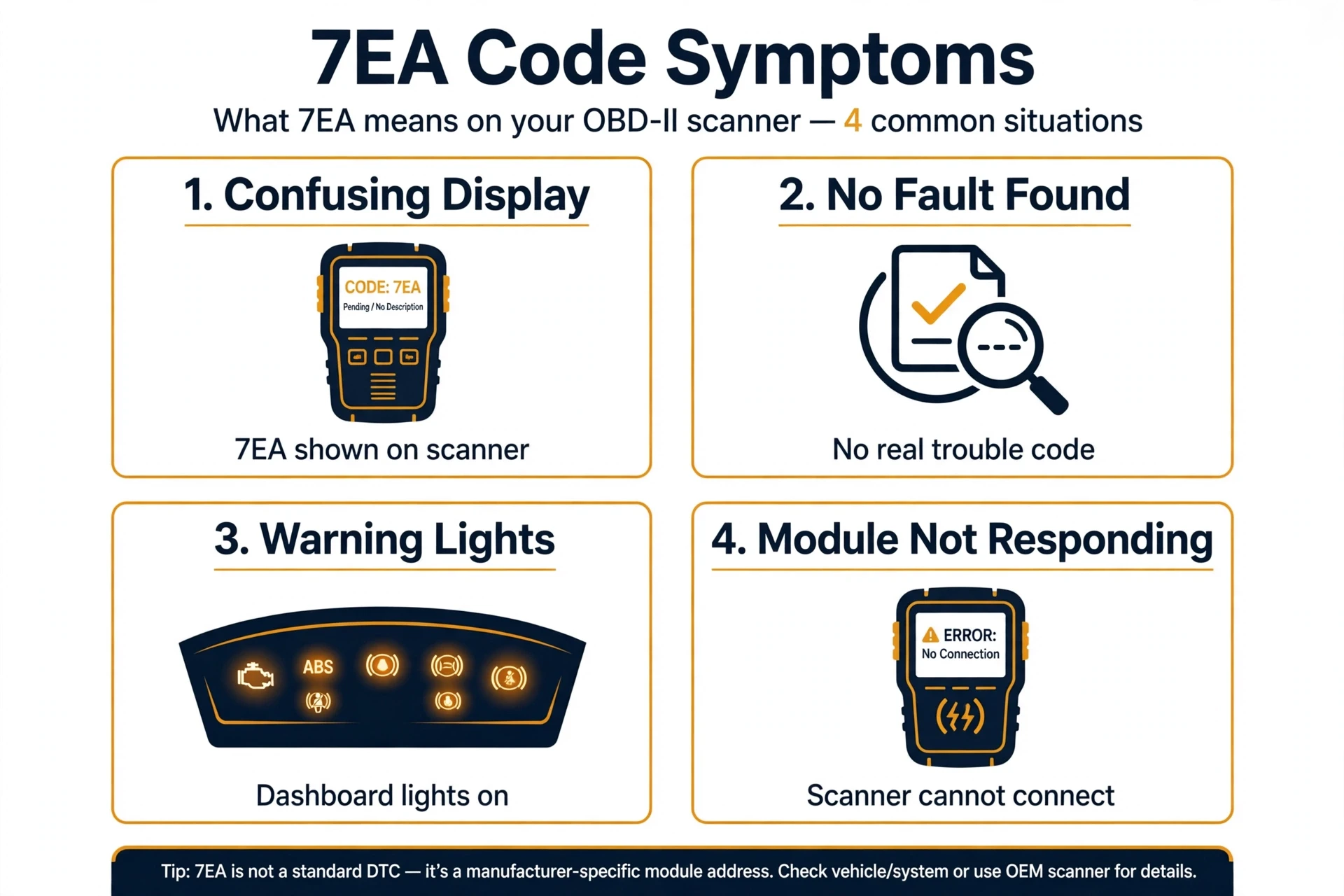
7EA itself causes no symptoms, because it is not a fault. The symptom most drivers feel is confusion: a code-like readout with no definition, which is easy to mistake for a dead computer. Here is what that confusion typically looks like in practice:
- A check engine light with no P-code in sight, only $7EA on the screen
- ABS or traction control warning lights joining in on some GM vehicles, where 7EA is commonly the ABS module’s address
- Stalling or rough idling, reported by drivers who found only 7EA at first, which always traces back to the real fault hiding under the menu, never to 7EA itself
- A scanner that seems stuck on the 7EA screen with no way inward, which is a limitation of the tool, not the car
- Worry about an expensive module 3 failure that does not exist
Judge the car, not the label. The symptoms that matter are the ones you feel from the driver’s seat: rough running, warning lights, stalling. Those point to the real code underneath the 7EA menu.
Common Causes Behind the 7EA Reading
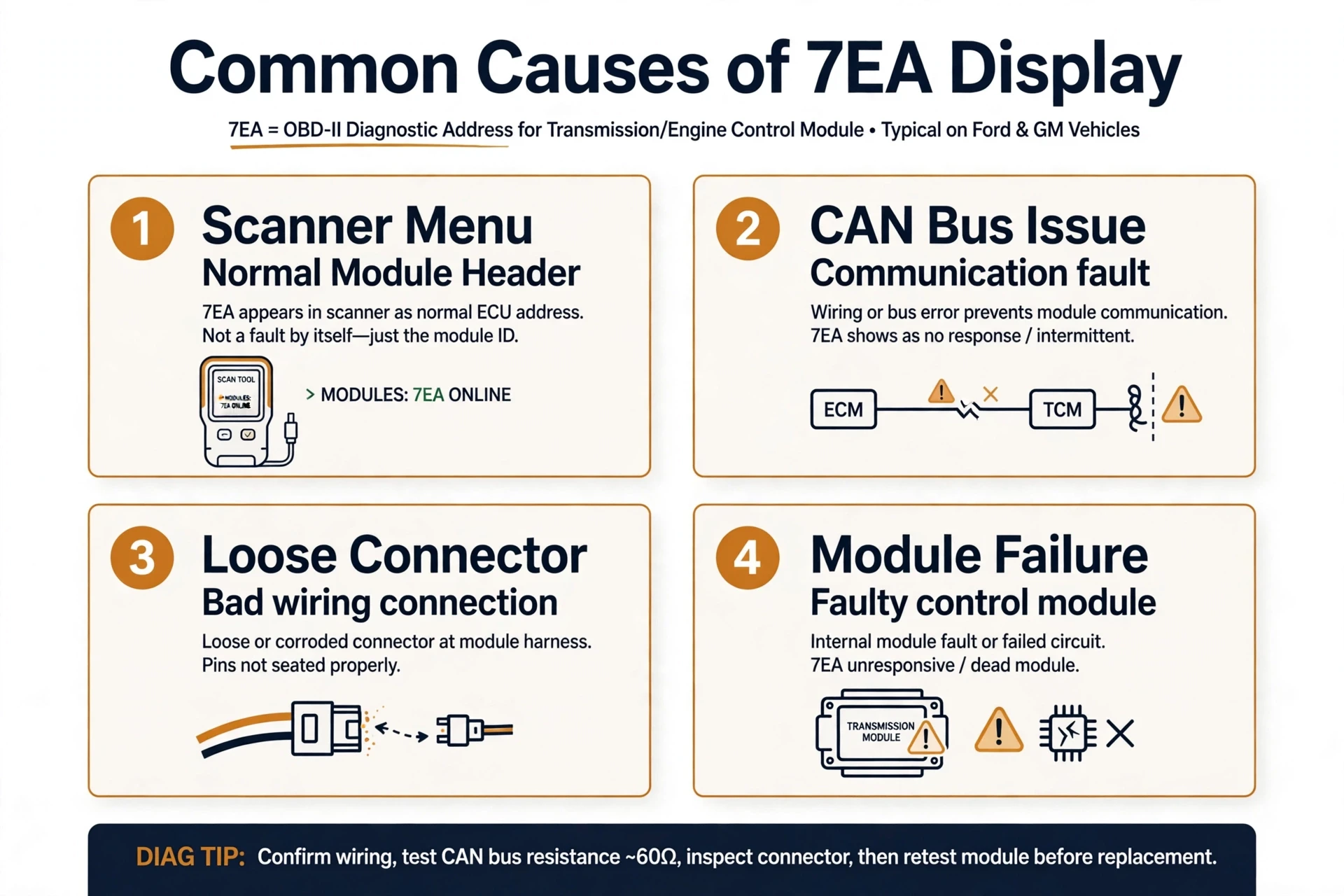
Most of the time, the cause of 7EA is simply an unfinished scan. But 7EA can also be the messenger for a genuine communication problem. Here is how to tell the difference:
- An unfinished scan (most common): you are looking at the module list, not the code list. Open 7EA and read the codes inside.
- A normal module roll call: the scanner found control module 3 and listed it next to 7E8 and 7E9. Nothing is wrong.
- A real fault hiding underneath: open 7EA and you may find P-codes such as P0300 or P0171, or C-codes such as wheel speed sensor faults on vehicles where 7EA is the ABS module.
- Communication dropouts: if 7EA appears and vanishes between scans, or the scanner cannot open the 7EA menu at all, the module may be losing contact. Check the CAN bus wiring, ground straps, and connectors near the ECM or body control module for looseness or corrosion.
- Low battery voltage: modules are often the first to drop off the network when voltage sags, which can make 7EA disappear from the list or trigger U-codes.
- Aftermarket electronics: poorly installed remote starters, alarms, or audio gear can disturb CAN traffic and confuse basic scanners.
The rule of thumb: a 7EA menu you can open and read is just a menu. A 7EA menu you cannot open, or 7EA plus U-codes across several modules, signals a wiring or connection problem worth chasing.
How to Diagnose the 7EA Code
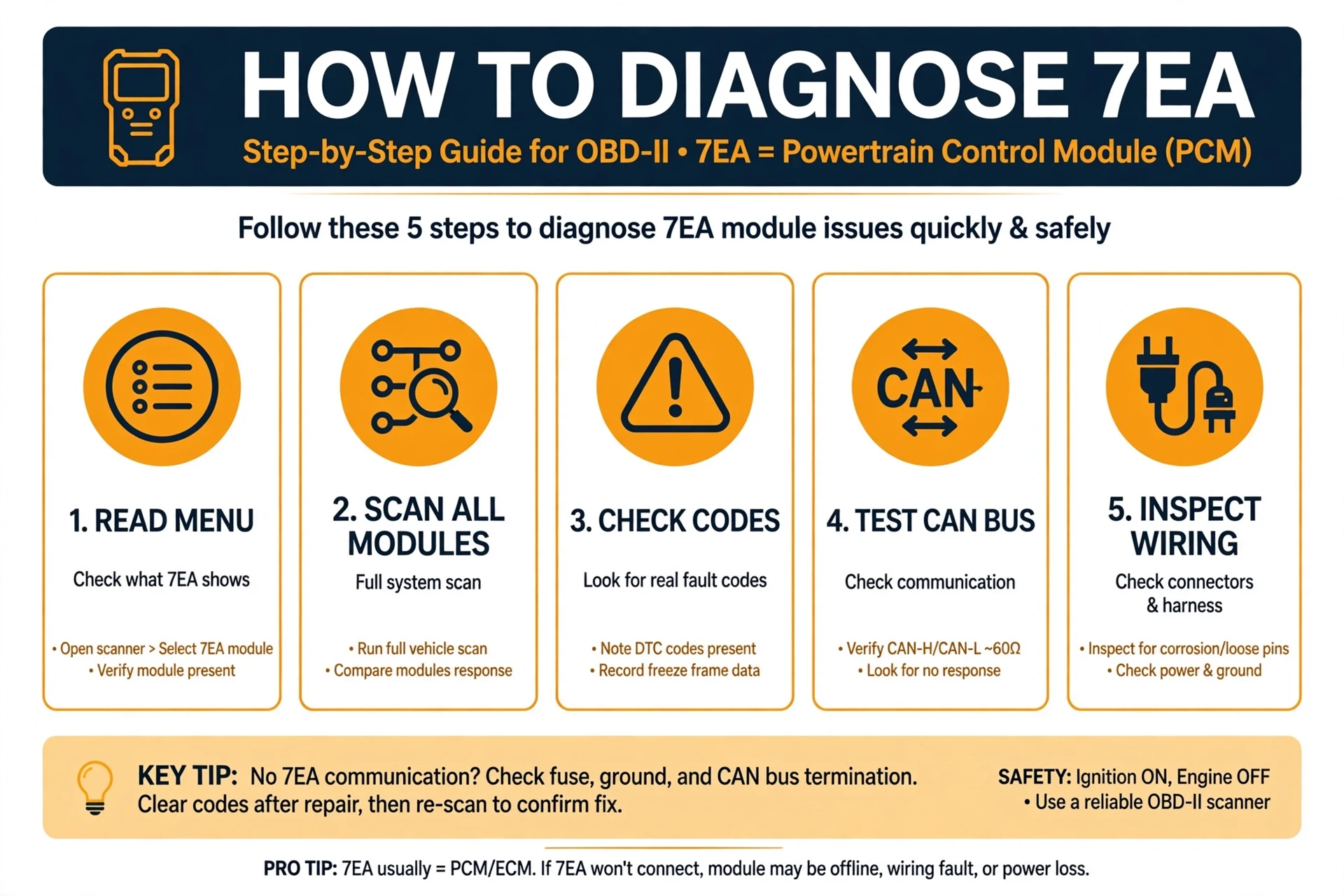
Reading past 7EA takes less than a minute on almost any scanner:
- Open the 7EA entry. Tap or highlight $7EA on the results screen to enter that module’s menu.
- Choose Read Codes. It may be labeled DTC, Trouble Codes, or Read DTC. This asks control module 3 for its stored faults.
- Write down every code you find. Real faults look like P0300 (random misfire) or P0171 (system too lean), or C-codes such as wheel speed sensor faults where 7EA is the ABS module.
- Check 7E8 and 7E9 the same way. Engine faults live under 7E8 and transmission faults under 7E9, so do not stop at one module.
- Note pending codes, freeze frame data, and any U-codes. U-codes mean modules are losing contact with each other, which points at wiring rather than parts.
- If the scanner cannot open 7EA at all, inspect the CAN bus wiring, ground straps, and connectors near the ECM or body control module for looseness or corrosion before replacing anything.
Once you hold the real code, diagnose it like any other check engine light instead of guessing at module 3.
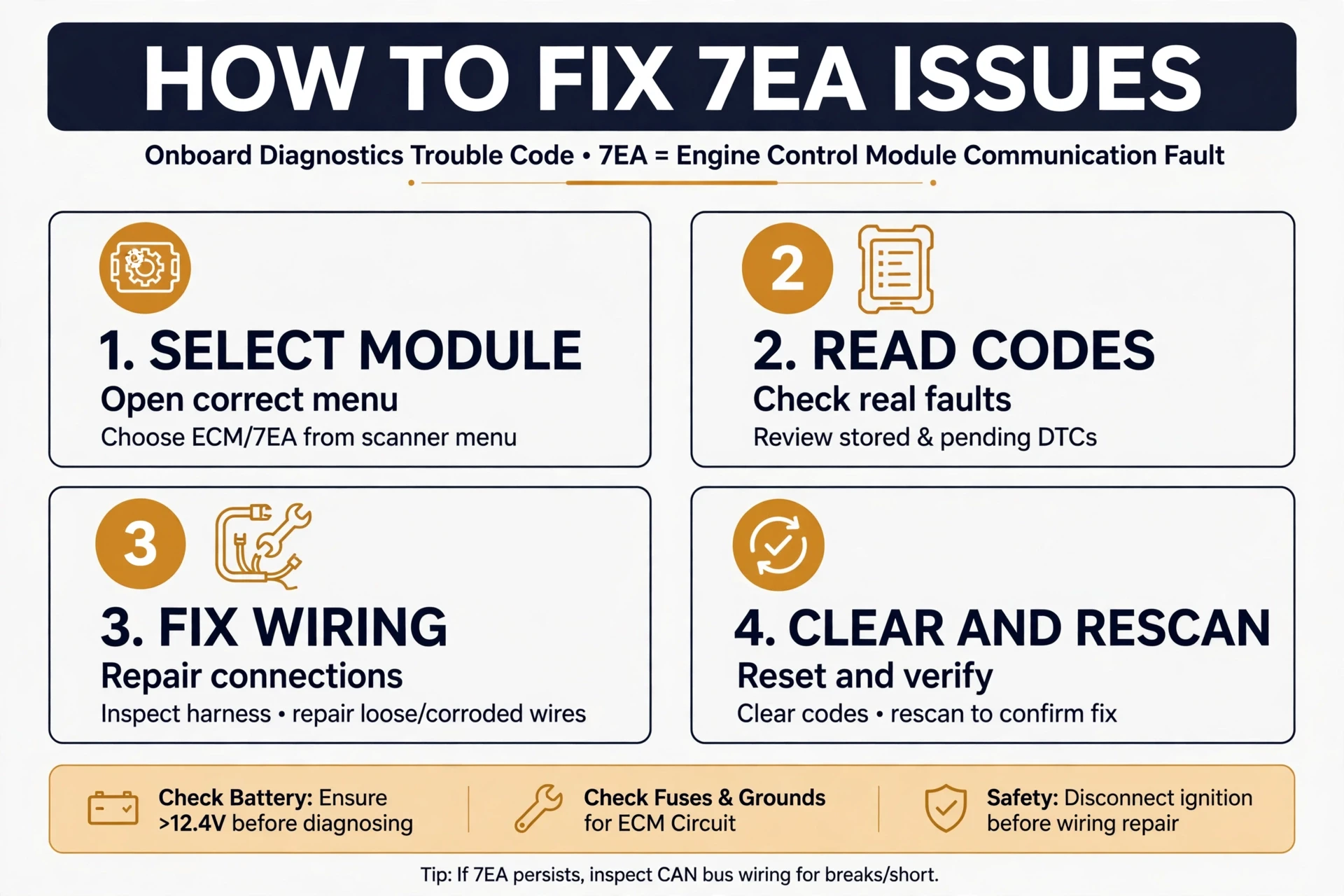
How to Fix It: What to Do Next
Your next move depends on what you find inside the 7EA menu:
- A P-code or C-code appears: diagnose and repair that code. 7EA did its job by leading you to the right module.
- No codes under 7EA but a light is on: check 7E8 and 7E9, look for pending codes, and confirm the light is not left over from a recently cleared code.
- The scanner cannot open 7EA: try a different scanner or app first, since some ultra-cheap readers cannot finish the handshake. If a good tool also fails, inspect the wiring, grounds, and connectors.
- U-codes or several modules dropping out: clean and tighten the ground straps, check the CAN wiring for chafing or corrosion, and verify battery voltage. Communication faults are usually connections, not computers.
- Codes return right after clearing: do not just erase and drive. A code that comes straight back is confirming the fault is still present.
There is no 7EA repair because there is no 7EA fault. You fix whatever the menu reveals, or the connection problem that keeps the menu from opening.
Can You Drive With 7EA Showing?
7EA itself never makes a car unsafe, because it is not a fault. Whether you should drive depends on the real code hiding behind it and on how the car behaves. If the car runs normally and the light is steady, short trips while you arrange diagnosis are usually fine. If the engine runs rough, lacks power, stalls at idle, or the check engine light flashes, limit driving and get it checked promptly, since those point to an active fault, not to the 7EA label.
7EA on Popular Vehicles
7EA appears on every brand that uses CAN bus communication, which covers every car sold in the US since 2008. A few patterns are worth knowing:
- GM and Chevrolet (Silverado, Equinox, Traverse, Colorado, Avalanche, Denali): the 7ea engine code chevy drivers ask about is almost always just the module header on a basic scanner. On many of these, 7EA addresses the ABS module, so look for C-codes and wheel speed sensor issues when ABS or traction lights join in.
- Ford, Chrysler, Dodge, Jeep: these brands commonly show $7E8, $7E9, and $7EA together as the scanner polls each module in turn.
- Toyota, Honda, Nissan, Mazda: Asian makes show 7EA on generic scanners too, and opening the menu works exactly the same way.
- Kia and Hyundai: owners often report $7E8 and $7EA together after a check engine light, then find a normal P-code one level deeper.
Related Codes
- 7E8: engine control module address, the first module in the roll call
- 7E9: transmission control module address, the companion to 7E8
- 7EB: another module address seen on some vehicles, from the same family as 7EA
- P0300: random/multiple cylinder misfire, a common code found under module menus
- P0171: system too lean, frequently hiding behind a module header
- P0420: catalyst system efficiency below threshold, another common find
- C-codes (such as wheel speed sensor codes): chassis faults often stored in the module that 7EA addresses on GM vehicles
- U-codes: communication codes that appear when modules lose contact with each other
Video Walkthrough
Watch the video above for a visual explanation of the 7Ex module-header family: why 7E8 and 7E9 are menu headers rather than fault codes, which is the same idea behind the 7EA reading on your scanner.
Frequently Asked Questions
Is 7EA a real engine code?
No. 7EA is not a diagnostic trouble code and it never points to a broken part. It is the CAN bus address of control module 3, shown by your scanner as a sub-menu. The real faults are the P-codes or C-codes stored inside that module.
How do I read the real codes behind 7EA?
Tap into the 7EA entry on your scanner and choose Read Codes or DTC. The actual fault codes appear one level deeper. If your tool cannot open the 7EA menu, try a more capable scanner or app.
What is the difference between 7EA, 7E8, and 7E9?
They are addresses for three different computers on the same CAN network: 7E8 is the engine control module, 7E9 is the transmission control module, and 7EA is control module 3, often the ABS module on GM vehicles. None of them is a fault code.
Can I drive with 7EA showing on my scanner?
7EA itself changes nothing about drivability. Base the decision on the real code behind it and on symptoms: a steady light with normal running is usually fine for short trips, while rough running, stalling, or a flashing light means get it checked soon.
Why does my scanner show 7EA and no other codes?
You are probably looking at the module list instead of the code list, the module has nothing stored right now, or the fault sits in another module such as 7E8. Open the 7EA menu and select Read Codes before concluding the scan is empty.
What does the 7EA code mean on a Chevy Silverado?
On a Silverado and most GM trucks, 7EA is the scan-tool menu for control module 3, commonly the ABS module. Open it and read the codes inside: you may find a P-code worth diagnosing or a C-code pointing at a wheel speed sensor.
Will clearing codes remove the 7EA display?
Clearing codes erases the faults stored inside the module, but 7EA still appears on the next scan because the module keeps answering at that address. That is normal. 7EA is a permanent part of how the scanner talks to your car.
Conclusion
The 7ea engine code looks like a mystery fault, but it is simply your scanner introducing you to control module 3. Open the 7EA menu, read the real P-codes or C-codes inside, and diagnose those. Once you do, 7EA turns from confusing to useful: it is the doorway to the exact information you need.
About the author: Written by the OBD2 Code Hub editorial team. Our diagnostic guides are built from real OBD-II data, manufacturer service procedures, and hands-on troubleshooting experience, then reviewed for technical accuracy before publishing. We drive the same cars you do.