
7E9 Engine Code: Meaning, Causes & What to Do
In This Guide
One-line meaning: 7E9 is NOT a trouble code. It is the scan-tool menu header / CAN response identifier for the transmission control module (TCM), the same family as 7E8 (ECM) and 7EA (module 3).
What the 7E9 Engine Code Means
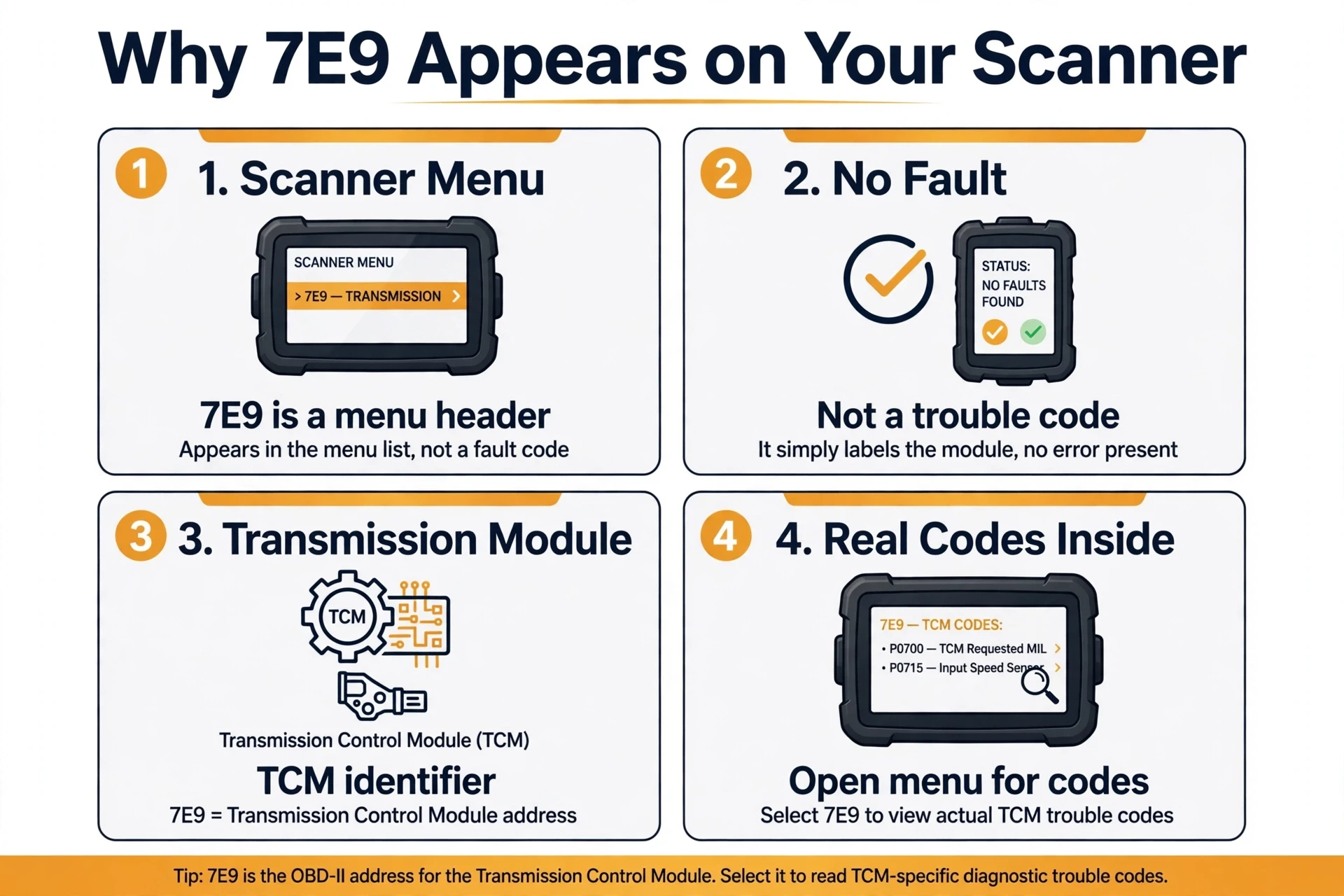
If you searched for the 7e9 engine code because your scanner shows 7E9, here is the reassuring news: nothing is necessarily wrong with your transmission. 7E9 is the CAN bus address of the transmission control module (TCM), the computer that manages shifting, the torque converter clutch, and line pressure. When your scan tool lists 7E9, it is simply telling you that the transmission computer answered.
Think of the 7Ex labels as name tags at a roll call. When your scanner starts a session, it asks every computer on the CAN bus to identify itself before it requests any codes. $7E8 answers for the engine control module, $7E9 answers for the transmission control module, and $7EA answers for a third module on some vehicles. The tool lists each one so you can pick which computer’s codes you want to read. Seeing 7E9 means the scanner reached the transmission computer and it answered. It is a menu you can open, not a report that something broke.
That is why 7E9 never comes with a definition the way a P-code does. Genuine trouble codes have five characters and start with a letter, like P0741 for a torque converter clutch problem or P0753 for a shift solenoid fault. 7E9 looks different because it was never designed to describe a fault. It is the module’s physical response identifier on the CAN bus, shown on your tool as a sub-menu header.

7E9 vs Real Fault Codes
The fastest way to stop worrying about 7E9 is to see how different it is from a real fault code:
| 7E9 (Module Header) | Real Fault Code (Example: P0741) |
|---|---|
| Menu label for the transmission control module | A stored diagnostic trouble code |
| Three-character hex address ($7E9) | Five characters: a letter plus four digits |
| Has no definition | Names a specific fault |
| Never points to a broken part | Usually points to one, after diagnosis |
| Needs no repair | Needs diagnosis and repair |
| What to do: tap it and choose Read Codes | What to do: follow the repair procedure for that code |
If your scanner shows both 7E9 and a P-code, the P-code is the story and 7E9 is only the chapter heading. Fix the P-code and the story ends.
Why 7E9 Appears on Your Scanner
Scanners poll the network module by module, and simpler tools show you every module that answered before they show a single code:
- Your scanner lists modules first: the tool shows each computer that responded, engine (7E8), transmission (7E9), sometimes more, then waits for you to pick one.
- You stopped at the menu level: 7E9 is the doorway, and the real codes sit one tap deeper under Read Codes or DTC.
- The transmission module has nothing stored right now: the check engine light can come from a pending code, a fault in the 7E8 engine module, or a code that was already cleared.
- The tool shows raw CAN addresses: basic readers display $7E9 because that is all their software was built to show.
None of these mean the transmission computer failed. They mean the scan is not finished yet.
Common Reasons Behind the 7E9 Reading
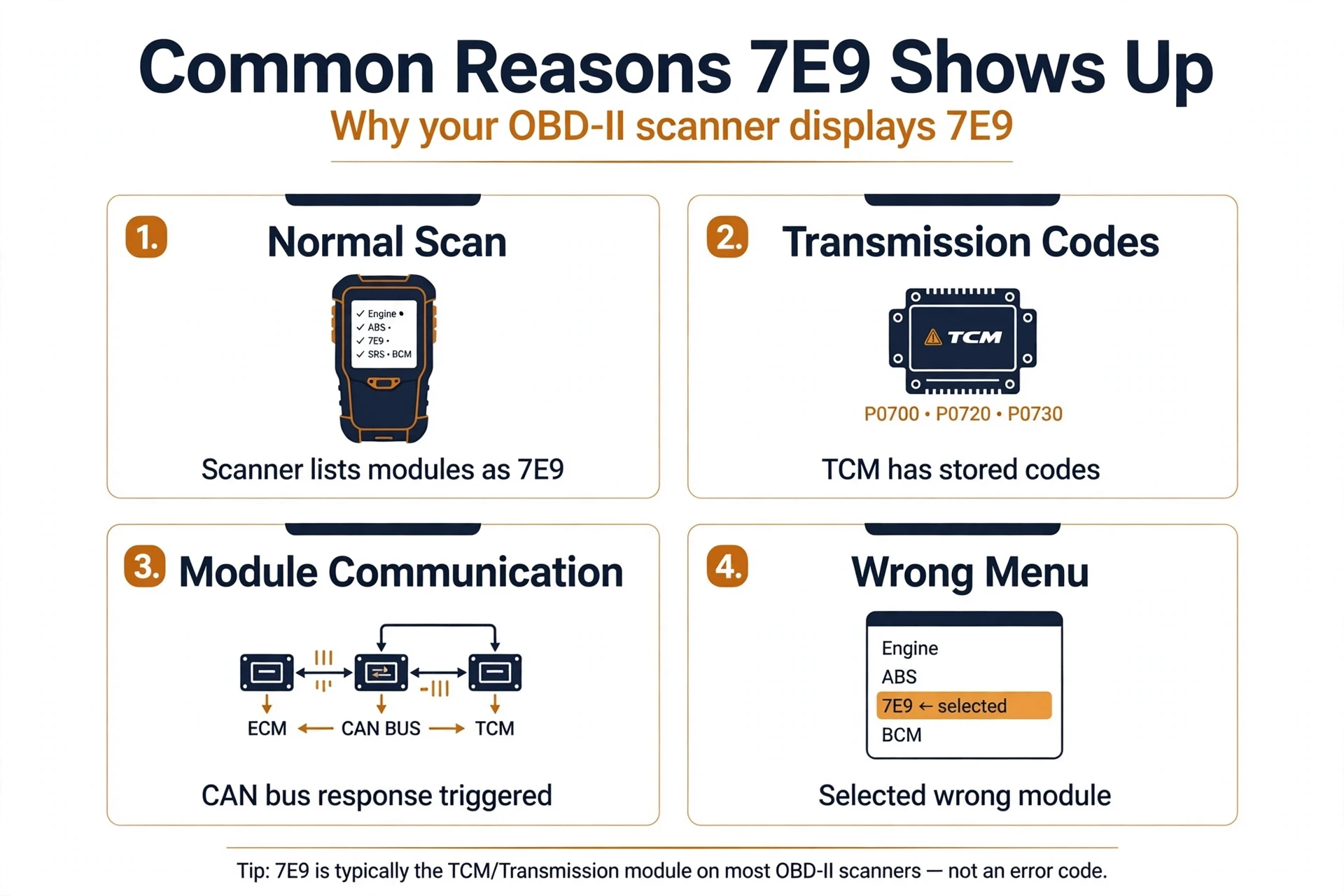
Most of the time, the reason for 7E9 is simply an unfinished scan. But 7E9 can also be the messenger for a real transmission problem, so here is how to tell the difference:
- An unfinished scan (most common): you are looking at the module list, not the code list. Open 7E9 and read the codes inside.
- A normal module roll call: the scanner found the transmission module and listed it next to 7E8. Nothing is wrong.
- A real fault hiding underneath: open 7E9 and you may find codes such as P0741 (torque converter clutch circuit performance), P0753 (shift solenoid A electrical), or P0715 (input speed sensor circuit).
- Communication dropouts: if 7E9 appears and vanishes between scans, or the scanner cannot open the 7E9 menu at all, the module may be losing contact with the network.
- Low battery voltage: modules are often the first to drop off the network when voltage sags, which can make 7E9 disappear and reappear.
- Aftermarket electronics: poorly installed remote starters, alarms, or audio gear can disturb CAN traffic and confuse basic scanners.
The rule of thumb: a 7E9 menu you can open and read is just a menu. A 7E9 menu you cannot open, or 7E9 that flickers in and out between scans, deserves a look at the wiring and power supply.
How to Read the Real Codes Under 7E9
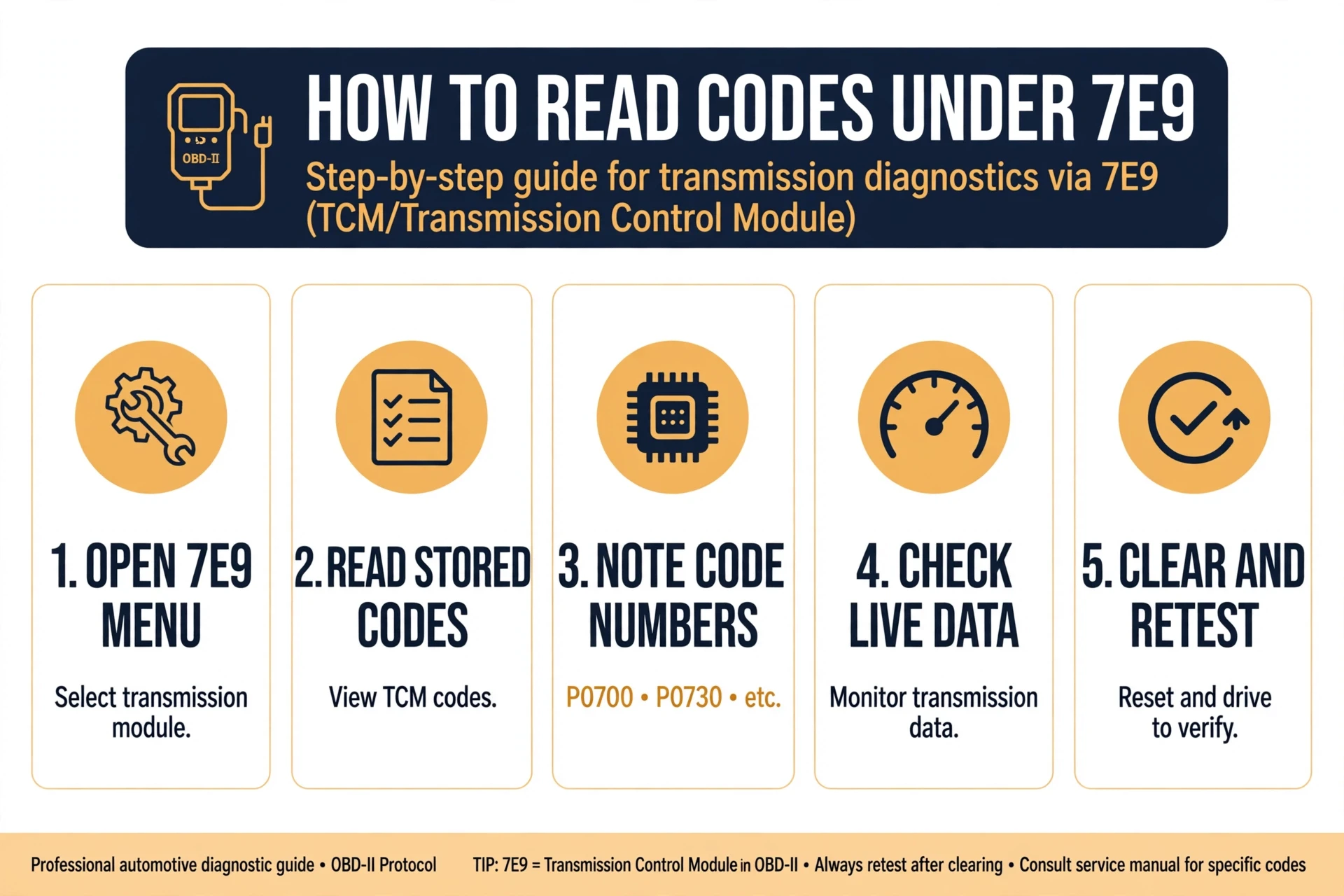
Reading past 7E9 takes less than a minute on almost any scanner:
- Open the 7E9 entry. Tap or highlight $7E9 on the results screen to enter that module’s menu. It may read “7E9: A/T” or “7E9: TCM” depending on the tool.
- Choose Read Codes. It may be labeled DTC, Trouble Codes, or Read DTC. This asks the transmission computer for its stored faults.
- Write down every P-code you find. Real transmission faults look like P0741 (torque converter clutch circuit performance/stuck off), P0753 (shift solenoid A electrical), or P0780 (shift malfunction).
- Check 7E8 the same way. Engine faults live under 7E8, so do not stop after the transmission module if the warning light is still unexplained.
- Note pending codes and freeze frame data. Pending codes have not yet failed twice in a row, and freeze frame shows the conditions present when the fault set.
- If the scanner cannot open 7E9 at all, inspect the CAN bus wiring, ground straps, and connectors near the transmission, and verify battery voltage.
Once you hold the real code, you can diagnose it like any other check engine light instead of guessing at a menu label.
What to Do Next: Fix, Clear, Retest
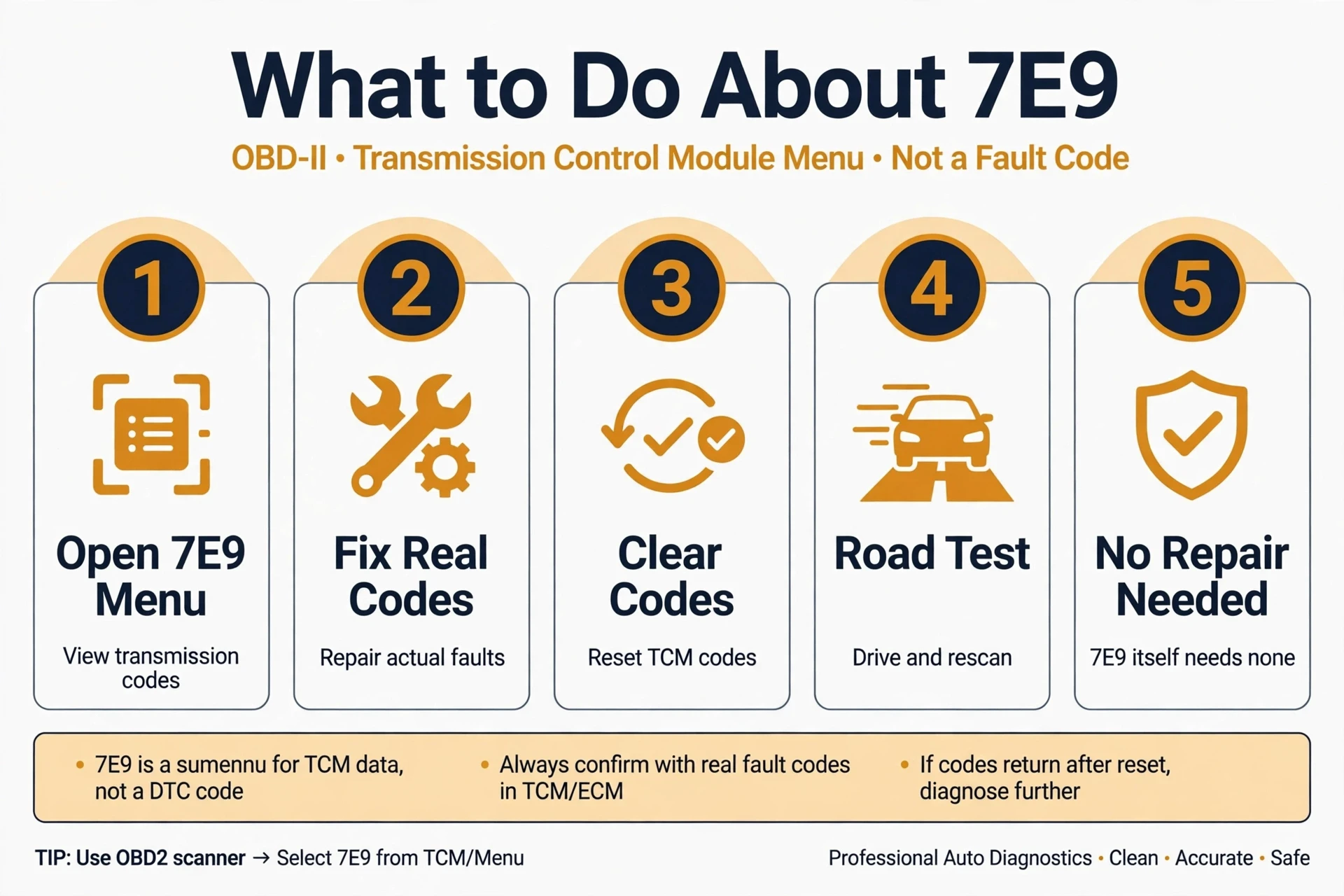
Your next move depends on what you find inside the 7E9 menu:
- A transmission P-code appears: diagnose and repair that code. As one real example from the video below, a 7E9 menu on a Toyota Camry revealed P0741, which points to the torque converter clutch circuit. 7E9 did its job by leading you to the transmission computer.
- No codes under 7E9 but a light is on: check 7E8, look for pending codes, and confirm the light is not left over from a recently cleared code.
- The scanner cannot open 7E9: try a different scanner or app first, since some ultra-cheap readers cannot finish the handshake. If a good tool also fails, inspect the wiring, grounds, and connectors.
- Codes return right after clearing: do not just erase and drive. A code that comes straight back is confirming the fault is still present. Clear codes only after the repair, then retest with a proper drive cycle and confirm the code does not return.
There is no 7E9 repair because there is no 7E9 fault. You fix whatever the menu reveals, then clear and retest to prove it is gone.
Can You Drive With 7E9 Showing?
7E9 itself never makes a car unsafe, because it is not a fault. Whether you should drive depends on the real code hiding underneath it. A torque converter code such as P0741 can usually be driven carefully to a shop, but harsh shifting, slipping, delayed engagement, or an overheating transmission deserve prompt attention. If the transmission behaves normally and you found no codes under 7E9, there is nothing about the 7E9 label that should keep the car parked.
7E9 on Popular Vehicles
7E9 appears on every brand that uses CAN bus communication, which covers every car sold in the US since 2008:
- GM and Chevrolet (Silverado, Equinox, Traverse): the 7e9 engine code chevy drivers ask about is almost always just the module header on a basic scanner, sitting next to 7E8.
- Ford, Chrysler, Dodge, Jeep: these brands commonly show $7E8 and $7E9 side by side as the scanner polls each module in turn.
- Toyota (Camry, Corolla): the classic real-world example, where opening the 7E9 menu reveals P0741 for the torque converter clutch, exactly as shown in the video below.
- Honda, Nissan, Mazda: Asian makes show 7E9 on generic scanners too, and opening the menu works exactly the same way.
- Kia and Hyundai: owners often report $7E8 and $7E9 together after a check engine light, then find a normal P-code one level deeper.
Related Codes
- 7E8: engine control module address, the first module in the roll call
- 7EA: another module address seen on some vehicles, from the same family as 7E9
- P0741: torque converter clutch circuit performance/stuck off, a classic find under the 7E9 menu
- P0753: shift solenoid A electrical, another common transmission code
- P0715: input/turbine speed sensor circuit fault
- P0780: shift malfunction
- U-codes: communication codes that appear when modules lose contact with each other
Video Walkthrough
Watch the video above for a visual walkthrough of the 7E8/7E9 module-header concept, including a real 7E9-to-P0741 example on a Toyota Camry.
Frequently Asked Questions
Is 7E9 a real engine code?
No. 7E9 is not a diagnostic trouble code and it never points to a broken part. It is the CAN bus address of the transmission control module. Your scanner lists it so you can choose which computer’s codes to read. The real codes are the five-character P-codes you find after opening the 7E9 menu.
How do I read the real codes behind 7E9?
Highlight $7E9 on the scanner screen to open the transmission module menu, then choose Read Codes (it may be labeled DTC or Trouble Codes). Write down every code that appears. Real faults look like P0741 or P0753. If your tool cannot open the 7E9 entry, try a different scanner or app.
What is the difference between 7E9 and 7E8?
They are siblings on the same network. 7E8 is the address of the engine control module (ECM), and 7E9 is the address of the transmission control module (TCM). Engine faults hide under 7E8, and transmission faults hide under 7E9. Neither one is a fault by itself.
Can I drive with 7E9 showing on my scanner?
Yes, the 7E9 label itself is harmless. What matters is the real code underneath it. If you found no codes and the transmission shifts normally, there is nothing to worry about. If a transmission code like P0741 is stored, drive gently and get it diagnosed soon.
Why does my scanner show 7E9 and no other codes?
Three common reasons: you are still at the module menu and have not opened 7E9 yet; the transmission module genuinely has no stored codes and the light comes from elsewhere, so check 7E8; or a basic reader is showing raw CAN addresses instead of drilling into the codes.
What does the 7E9 reading mean on a Toyota Camry?
It means the same thing as on any car: the scanner is showing the transmission module’s menu header. On Camrys, opening that menu very often reveals P0741, a torque converter clutch circuit code, which is exactly the example covered in the video above.
Will clearing codes remove the 7E9 display?
No. Clearing codes erases stored faults; it does not remove module headers. 7E9 will still appear the next time you scan, because the transmission computer will still answer the roll call. That is normal. Only clear codes after you have repaired the real fault, then retest to confirm it stays away.
Conclusion
The 7e9 engine code looks like a mystery transmission fault, but it is simply your scanner introducing you to the transmission computer. Open the 7E9 menu, read the real P-codes inside, fix what they point to, then clear and retest to confirm the repair. Once you know that 7E9 is an address and not a fault, it stops being scary and starts being useful: it is the doorway to the transmission diagnostics you actually need.
About the author: Written by the OBD2 Code Hub editorial team. Our diagnostic guides are built from real OBD-II data, manufacturer service procedures, and hands-on troubleshooting experience, then reviewed for technical accuracy before publishing. We drive the same cars you do.